mtoc
Music Library for Linux
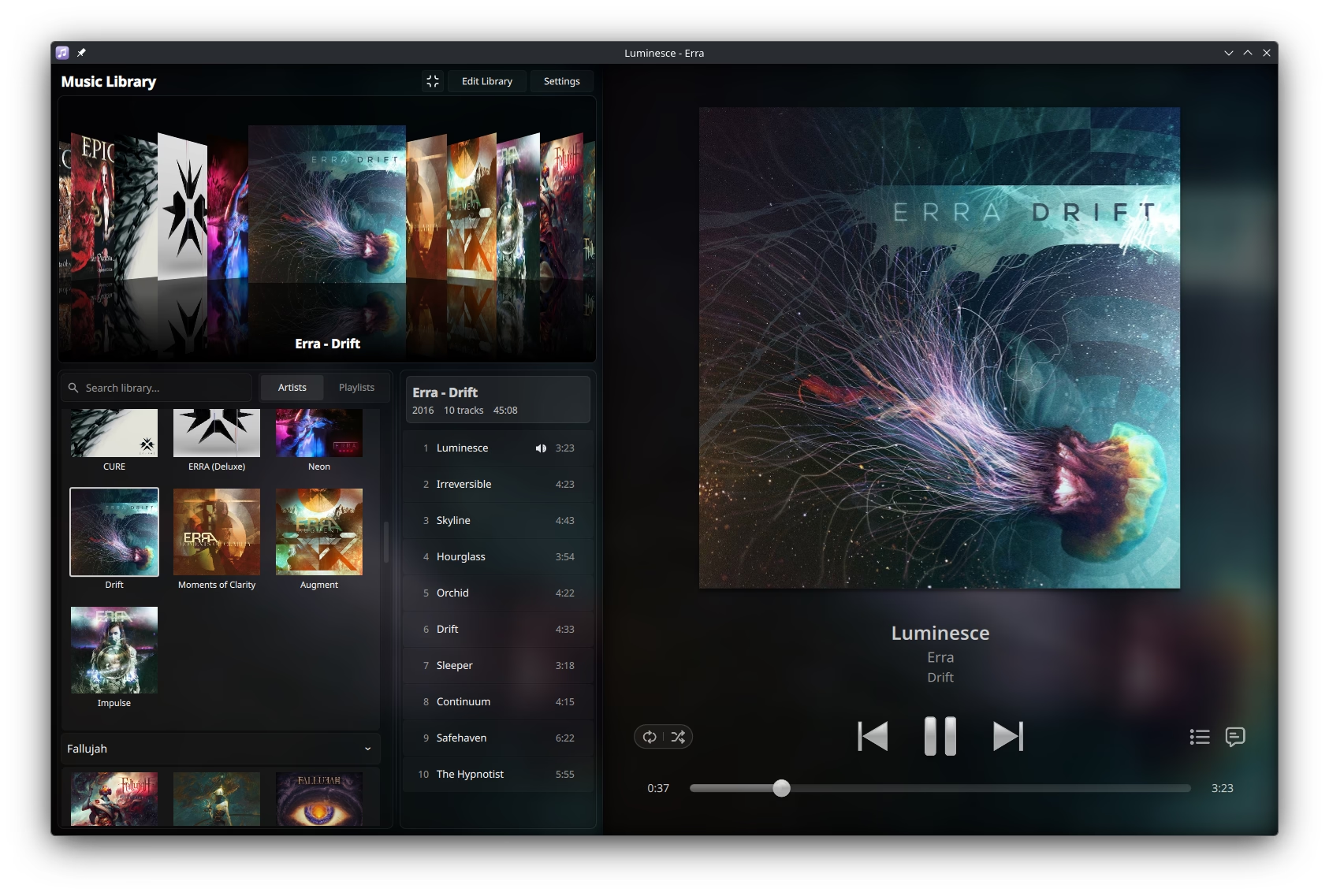
mtoc is a visually-rich music player and library browser that emphasizes smooth, continuous browsing with album artwork at the forefront. Aiming to bring the most-loved elements of the iPod and physical media to a modern desktop music player; designed for music collectors who appreciate full ownership and software that doesn't compromise user experience.

Features
Album-First Browsing
Flip through your music collection with a beautiful carousel interface inspired by your favorite Apple devices of the '00s. The carousel presents your album covers with responsive, satisfying animations as you navigate through them.
Direct input with click + drag, touchpad, mouse wheel, and arrow keys all supported for a smooth browsing experience. Designed for music lovers who appreciate the visual experience of browsing their collection.
Smart Library Management
File watcher with automatic library updates keeps your collection in sync as you add or remove music files. Choose between automatic updates, refresh on startup, or manual scanning to suit your workflow.
Supports MP3, FLAC, OGG, AAC, and Opus audio formats with TagLib-powered metadata extraction. Your music files are treated as read-only, maintaining interoperability with other media players and your filesystem structure of choice, while the SQLite database efficiently stores library metadata and thumbnails at the application level.
Synchronized Lyrics
Full support for LRC format with real-time highlighting as the song plays. Click any line to jump to that point in the track for easy navigation through your favorite songs.
Automatically detects and loads lyrics from your music directories, supporting both embedded lyrics in track metadata and external .lrc and .txt files stored alongside your music, in both synchronized and unsynchronized formats.
Desktop Integration
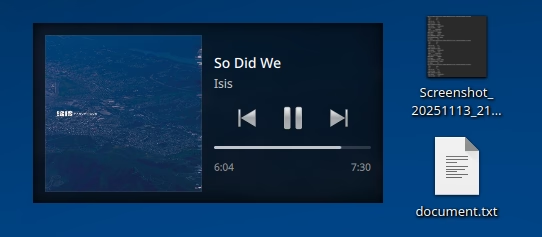
The mini player offers three layout modes and can hide the main window for compact, unobtrusive music controls on your desktop.
Full MPRIS 2 support enables seamless integration with your desktop environment. Control playback using media keys, view now playing information in your system tray, and manage your music from anywhere.
State persistence ensures your playback position, queue, and interface selections are maintained between sessions.
Advanced Queuing and Playlists
Flexible queue management with play next, play last, drag-and-drop reordering, saving queues as playlists, and support for saving and playing standard M3U playlist files.
High Performance
Hardware-accelerated rendering with intelligent caching ensures smooth scrolling even with thousands of albums. Built with modern Qt 6 for efficiently rendered visuals and a lightweight database for an optimized MVC architecture.
Asynchronous operations for metadata and artwork loading mean your library stays responsive for large collections.
Gapless Playback
GStreamer-based audio engine with precise gapless playback for supported files. Enjoy a continuous audio pipeline with next-track preloading and seamless transitions.
ReplayGain support provides automatic volume normalization for supported tracks and albums, with configurable fallback gain and preamplification settings for the perfect listening experience.
Flexible Interface
Light and dark themes with automatic system theme detection. Accent color integration changes your selection highlights to match your system theme.
Wide and compact layout modes for different screen sizes and user preferences.
Local-first, Open Source, and Free Forever
mtoc is 100% free and open source software, licensed under the GNU General Public License v3.0.
Get Started
Flatpak (Most Linux Distros)
flatpak install flathub org._3fz.mtocRPM Package (Fedora 42+)
sudo dnf copr enable 3fz-asa/mtoc
sudo dnf install mtoc